


It seemed like a passing fad, but it's turning out to be a revolution in the telecommunications sector. Now, in times of crisis and distrust, many are deciding to tighten their belts, and a practical example of this is homeowners' associations. We're starting to implement Installation of WiFi networks in apartment communities.
What is happening?
Installing Wi-Fi networks in apartment buildings saves all residents of the property money.
They want to save costs on internet access lines. Instead of each neighbor paying for their own, it's simplified to a couple of lines contracted with an internet provider, and this connection is shared by everyone. The result is that 60 neighbors pay for 4 internet lines. The cost savings for each neighbor are considerable, dropping from paying a fee of €32-€35 per contracted line to a fee ranging from €2.70 to €4.60.
Connected homes
In most homes, we can find a router, and in large cities, almost all houses are connected. When looking at available wireless networks, we can see a long list of networks surrounding us. But then, if we find so many available networks in such a small space, isn't it We could share WiFi with our neighbors?
Share WiFi with the neighbor
Yes, we can do it. And no, we're not talking about giving your neighbor upstairs your password and splitting expenses. It would be unhelpful, as obviously, there would be a big difference in connection signal depending on who has the router in their home, and it's probably not designed for long distances or too much concurrency.
A shared line
We are talking about specific services of Wifi for housing communities where residents of the building don't have to own an individual network and router. Instead, they can share 4 lines among 40, for example, saving costs and adapting the network to their needs.
The installation would be greatly simplified, it could be treated as an additional community expense, working with a single supplier, and there wouldn't be as much noise from overlapping networks.
Security and privacy
Each resident has a username and private keys, which provides greater security and privacy to the network. Additionally, network activity could be logged to detect potential crimes or fraud.
Furthermore, we are of the opinion that a quality WiFi network is better than many sparse networks. In this way, a common network could have enough strength to offer solutions for power outages, line failures, etc.

What do we do?
We facilitate and install all the necessary infrastructure for correct internet coverage and access, granting each resident a minimum bandwidth. Depending on the speed of the line to be contracted, we carry out the installation of WiFi networks in residential communities. An example:
Let's imagine a building with 13 floors, and each floor has 2 to 3 neighbors.
Access Points / Repeater Mode Points.
The installation of the Access Points will be distributed as follows:
- One Access Point per floor. Considering that there are 2 or 3 neighbors per floor, network management is optimal. In this specific case, the number of Access Points needed for the entire community would be:
13 plants x 1 Access Point = 13 ACCESS POINTS
A repeater will be installed on each floor, which will be connected to the nearest access point, thus offering a wider coverage radius.
13 plants x 1 repeater = 13 REPEATERS
These will connect wirelessly to the nearest access point. In the event that an access point fails or goes into an inoperable mode, the repeater will connect to the closest access point, thereby offering maximum network operability and access to it.
Load balancer
Having WiFi access at all times in residential communities, as in any place, is vital. The load balancer will allow access to up to 8 links, of different technologies and providers, and distribute Internet access among these links. This way, total availability is achieved. In case one of the links fails, Internet access remains available through the other channels.
Due to the network's scale, we will use a load balancer that supports integration with two providers, whether they are different ISPs or the same one. It features two WAN ports, allowing for two simultaneous Internet connections and providing dual-bandwidth access. It gives you the ability to access more Internet sources from different ISPs. With load balancing and automatic failover, no manual intervention is ever required.
RADIUS Server
Functionality
The Radius server provides user access control to the network; each user (neighbor) will authenticate to the network with their own key.
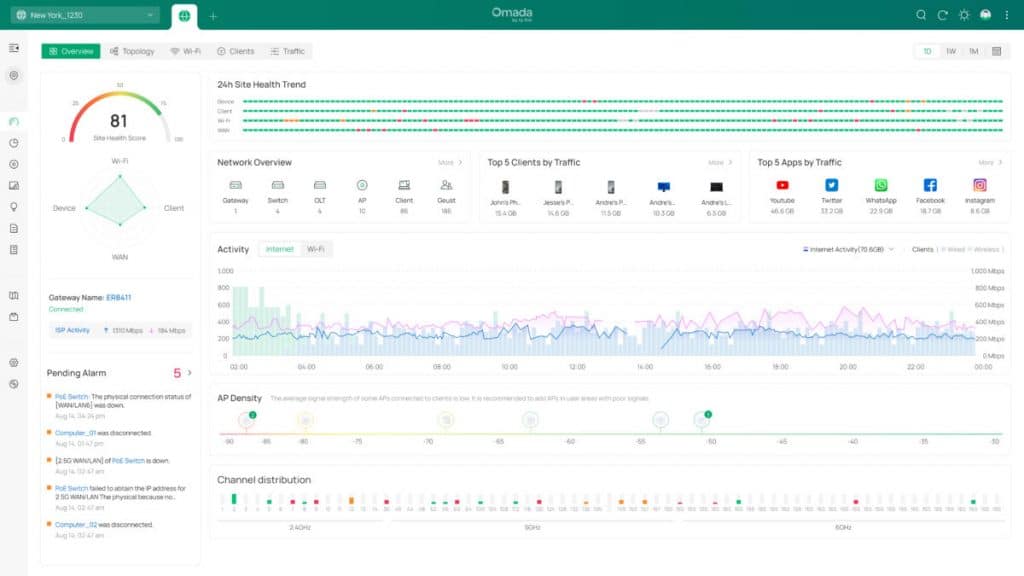
Access Point and Repeater Management Server: To optimize the server’s performance, it will be used in conjunction with management software to control and monitor the access points and repeaters installed on the property, detect errors, and resolve any issues that may arise.
Access rules, security policies, network control and management; to ensure equitable network access and usage, security policies will be created, maximum bandwidth for P2P downloads (Emule, Bitorrent, Ares…), likewise, if desired, internet access filters can be applied, control over violent, pornographic, racist content…
Firewall
Why is it advised to use a Firewall When you browse the web, download files, open email attachments, and run programs that connect over the network, any of these actions have the potential to expose you to worms, Trojans, and malware. These can initiate communication with the internet from inside your PC and steal your personal data. Thanks to the use of a firewall, we reduce these costs by protecting ourselves from external network threats. On the other hand, we minimize the risk.